 ultimate-guide
7 Benefits of Hybrid IT Support for Growing Startups
Table of Contents
- What Hybrid IT Support Means for Growing Startups
- 1. Scalability and Flexibility That Grows With You
- 2. Cost Efficiency: How Hybrid IT Reduces the Cost of Managed IT Services for Small Business
- 3. Security and Compliance: Working With Managed Security Providers
- 4. Remote vs On-Site IT Support Pros and Cons for Startups
- 5. Business Continuity and Disaster Recovery Without the Enterprise Price Tag
- 6. Hybrid IT for Hypergrowth: Scaling From 5 to 100 Employees
- 7. What to Watch Out For: Challenges of Hybrid IT Implementation
- Frequently Asked Questions
Last Updated: September 14, 2026
What Hybrid IT Support Means for Growing Startups
The hybrid cloud market is projected to grow from USD 189.61 billion in 2026 to USD 475.73 billion by 2034, a 12.19% CAGR, according to Straits Research's hybrid cloud market analysis. That growth is not driven by enterprises alone. Startups are adopting hybrid it support because it lets them keep sensitive data on-premises while scaling compute in the cloud, without hiring a full internal IT department.
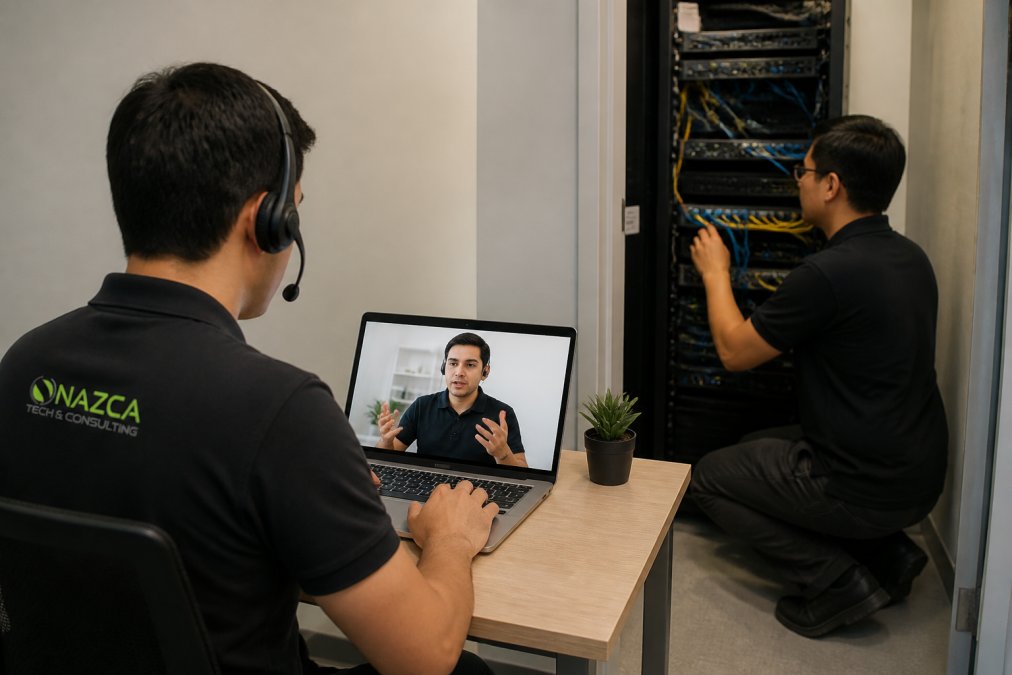
Hybrid IT support is a service model that combines on-site technicians with remote monitoring and cloud-based management tools to maintain both physical and virtual infrastructure. At Nazca Tech, we've watched this model move from enterprise-only to the default choice for teams of 5 to 100 employees.
DataBank's 2026 hybrid cloud trends report notes that hybrid designs cut ongoing egress fees and improve analytics and machine learning performance by keeping core processing and heavy storage local, lower bills, faster queries (Hybrid Cloud Trends 2026: 12 Adoption Drivers Accelerating Growth).
How Hybrid IT Differs from Traditional Managed Services
Traditional managed services mean either a break-fix technician who shows up when something dies, or a fully remote help desk that never sets foot in your office. Hybrid IT support blends both.
- On-site capability: physical hardware, network closets, and server rooms get hands-on attention
- Remote monitoring: 24/7 alerts catch disk failures, latency spikes, and unauthorized access before users notice
- Unified management: one vendor handles cloud orchestration and on-premises infrastructure together
The difference matters at 2 a.m.: a remote-only provider can restart a service, but a hybrid provider can also dispatch a technician to replace the failed drive.
1. Scalability and Flexibility That Grows With You
Scalability is the ability to add or remove computing resources without rebuilding infrastructure. Hybrid IT support delivers it through dynamic scaling: cloud capacity expands during a launch, then contracts when traffic normalizes.
A startup doubling headcount in six months does not want to renegotiate a hardware lease. Hybrid models provision new cloud workloads in hours while existing on-premises systems keep running.
Splashtop's 2026 analysis of hybrid IT names improved business agility, enhanced security, and easy infrastructure scaling as top benefits. For a growing startup, that means hiring faster without waiting on procurement cycles.
2. Cost Efficiency: How Hybrid IT Reduces the Cost of Managed IT Services for Small Business
The cost of managed IT services for small business drops under a hybrid model because you stop paying cloud prices for workloads that belong on local hardware. But the useful startup question is not "is hybrid cheaper than pure cloud?" It is "what does hybrid do to my monthly burn rate and runway?"
The Burn Rate Math Most Guides Skip
Startup IT spend has two components: fixed (hardware leases, on-premises servers, IT staff) and variable (cloud compute, storage, egress, per-seat SaaS). Pure-cloud shops run almost entirely variable, which feels lean until usage spikes and the invoice arrives mid-month. Pure on-premises shops run almost entirely fixed, which feels predictable until you need to double capacity and face a capital outlay you cannot absorb.
Hybrid IT support moves predictable workloads onto fixed-cost local hardware and keeps spiky workloads on variable cloud capacity. The result is a flatter, more forecastable monthly IT line, which matters more than the absolute lowest number, because investors and lenders price predictability.
Where the Savings Actually Come From
- Egress fees: keeping heavy storage local avoids per-gigabyte transfer charges. Usually one or two workloads, backups, log aggregation, or media assets, drive most transfer spend.
- Right-sized compute: burst to the cloud only when you need it, instead of paying for peak capacity 24/7.
- Reduced hardware refresh cycles: extend the life of on-premises servers by offloading peak demand to cloud rather than over-buying local capacity.
- Fewer emergency dispatches: remote monitoring catches disk failures, thermal issues, and latency spikes before they become after-hours truck rolls, the priciest line item in break-fix contracts.
- Delayed headcount: a hybrid provider absorbs the work that would otherwise justify your first two or three internal IT hires.
Translating This Into Runway
A practical model: split your monthly cloud invoice into "steady-state" and "burst" categories, then estimate the steady-state portion on owned or leased hardware amortized over three years. Most startups find steady-state is the larger, more expensive share per unit of work. Moving it local converts a variable cost into a fixed one at a lower total, extending runway by making the monthly number smaller and more predictable.
The Trade-Off You Are Accepting
Hybrid is not free: you take on capital exposure, operational complexity, and the need for a provider managing both environments under one contract. The savings are structural, not immediate, they show up over quarters, not weeks. Founders expecting next month's invoice to shrink are disappointed; those expecting eighteen months of forecastable IT spend are not.
Fortune Business Insights (2026) reports that hybrid IT integration minimizes costs while improving control and scalability by combining private and public cloud resources (fortunebusinessinsights.com). For a startup, the control half is what shows up on the balance sheet.
3. Security and Compliance: Working With Managed Security Providers
Managed security providers handle the monitoring, patching, and incident response most startups cannot staff internally, securing cloud workloads and physical endpoints under one policy framework.
The Security Challenge Hybrid Environments Create
Two environments mean two attack surfaces. Fortinet (2026) notes that hybrid IT offers flexibility but challenges standardization of IT service management and governance across disparate systems. A misconfigured cloud bucket and an unpatched server room switch share one root cause: no unified visibility.
Startups in regulated sectors, particularly healthcare, face extra pressure: HIPAA compliance requires documented controls over electronic protected health information (ePHI) wherever it lives. Nazca Tech's technicians are trained in HIPAA compliance and ePHI security protocols, which matters when your scheduling system sits in the cloud but your imaging archive stays on-site.
4. Remote vs On-Site IT Support Pros and Cons for Startups
Remote support resolves most issues faster and cheaper; on-site support handles what remote tools cannot touch. The right split depends on your infrastructure.
| Factor | Remote Support | On-Site Support |
|---|---|---|
| Response time | Minutes to hours | Hours to next business day |
| Cost per incident | Lower | Higher |
| Best for | Software, config, access issues | Hardware, cabling, network closets |
| Limitation | Cannot touch physical hardware | Slower dispatch, travel time |
Microsoft's 2026 guidance on hybrid team technology notes that AI-driven IT workflows reduce manual troubleshooting time, improving operational visibility for leadership, the remote half of the equation working well.
The on-site half still matters: a failed switch or degraded UPS needs hands on it. Nazca Tech's hybrid model offers 1-hour remote and 3-hour on-site emergency response, so the escalation path is defined before you need it.
5. Business Continuity and Disaster Recovery Without the Enterprise Price Tag
Business continuity is keeping operating during a disruption; disaster recovery is restoring systems afterward. Hybrid IT support makes both affordable by replicating critical data to the cloud while keeping a local failover option.
The architecture is straightforward:
- Data redundancy: replicate on-premises data to cloud storage continuously
- High availability: run failover workloads in the cloud when local hardware fails
- Recovery testing: schedule quarterly restore drills, not annual ones
A hybrid design means a flooded server room does not end your business. Your cloud replica comes online while the physical hardware is replaced.
6. Hybrid IT for Hypergrowth: Scaling From 5 to 100 Employees
Going from 5 to 100 employees breaks most IT setups between 25 and 40 people, usually at identity management: shared logins stop working, onboarding takes days, and nobody knows who has access to what. Enterprise guides call this governance; for a startup it is a growth-rate problem, you add people faster than process, and every week of delay shows up as lost productivity.
The Three Walls Hypergrowth Hits
Wall 1: Identity (around 25-40 people). Shared credentials and a spreadsheet of passwords stop scaling. You need single sign-on, role-based access, and a joiner-mover-leaver process. This is the wall most startups hit first and the one that causes the most security incidents.
Wall 2: Onboarding throughput (around 40-60 people). When you hire three people in a week, a manual laptop-provisioning and account-setup process becomes the bottleneck. Hybrid IT support addresses this by templating the onboarding workflow: cloud handles identity, email, and SaaS provisioning; on-premises or a managed depot handles hardware staging and shipping.
Wall 3: Cost curve (around 60-100 people). Cloud spend that looked trivial at 10 people becomes a material line item at 80. This is where hybrid pays off, moving steady-state workloads local flattens the per-employee IT cost instead of letting it climb linearly with headcount.
How Hybrid Support Handles Each Wall
Hybrid IT support handles hypergrowth by separating concerns. Cloud handles collaboration, email, and SaaS identity. On-premises handles anything latency-sensitive or regulated. A unified management layer ties both together so you are not running two separate IT functions.
- Identity: one directory synced across cloud and on-premises, with automated provisioning and deprovisioning
- Onboarding: templated hardware and account setup that scales from one hire to ten without new process
- Cost: steady-state workloads on fixed-cost local hardware, burst workloads on variable cloud capacity
- Governance: one asset inventory, one change log, one escalation path, even though the infrastructure is split
The Vendor Lock-In Angle
Hypergrowth is also when vendor lock-in gets expensive. A startup that built everything on one cloud provider at 10 people finds renegotiating at 80 is a one-sided conversation. Hybrid architecture gives leverage: move a workload to another provider or back on-premises without re-architecting the stack. That optionality often beats raw cost savings, because it protects you from a price increase you cannot refuse.
What to Do Before You Hit the Wall
Most practitioners find that the transition is smoother when it starts before the pain is acute. A practical sequence:
- At 15-20 people: document your current identity and access setup, even if it is informal.
- At 20-30 people: move to single sign-on and role-based access before you hire the next batch.
- At 30-40 people: split steady-state and burst workloads so you can see which is which on the invoice.
- At 40-60 people: template onboarding so it does not depend on any one person.
- At 60-100 people: renegotiate cloud commitments from a position of optionality, not dependency.
Evanta's 2026 CIO agenda survey found the top IT priorities remain better productivity, lower costs, and profitable growth. For a scaling startup, those map to hybrid decisions: automate onboarding, avoid over-provisioning hardware, and tie spend to headcount rather than forecasts.
PowItUp's 2026 analysis names hybrid AI infrastructure as one of nine forces defining competitive advantage. Startups running AI workloads benefit most from keeping training data local and inference in the cloud, a split that is hard to achieve cleanly on a single-provider architecture and straightforward under a hybrid model.
7. What to Watch Out For: Challenges of Hybrid IT Implementation
Complexity is the real cost of hybrid IT, and it shows up in governance: two environments mean two sets of access policies, two patching schedules, and two places technical debt accumulates.
The most common mistakes:
- No unified monitoring: teams watch cloud dashboards and on-premises tools separately, missing correlated failures
- Inconsistent security policy: cloud gets MFA, on-premises does not
- Undocumented architecture: nobody knows which workload lives where after six months
Fortinet (2026) flags standardization of IT service management across disparate environments as the central governance challenge. The fix is boring but effective: one asset inventory, one change log, one escalation path.
Growing startups hit an infrastructure wall somewhere between 25 and 40 employees, and the choice is between hiring an internal IT team or finding a partner who can scale with you. Nazca Tech has spent over 21 years building hybrid support models for businesses that need both remote monitoring and on-site response, with technicians trained in HIPAA compliance and ePHI security protocols, a dedicated help-desk portal for real-time request tracking, and defined response times of 1 hour remote and 3 hours on-site. Get started with Nazca Tech and build infrastructure that keeps pace with your headcount instead of lagging behind it.
Frequently Asked Questions
What does hybrid IT actually mean for a startup?
Hybrid IT combines on-premises hardware, like local servers and network gear, with cloud services and remote management. For a growing startup, this usually means keeping sensitive or latency-sensitive workloads local while running email, collaboration, and backup in the cloud. A hybrid IT support model manages both sides under one service agreement, so you are not juggling separate vendors for each environment.
Is hybrid IT support cost-effective for early-stage startups?
It often is, because you avoid overbuilding infrastructure you do not need yet. Hybrid designs cut ongoing egress fees by keeping heavy storage and core processing local, according to DataBank's 2026 report. The cost of managed IT services for small business varies widely based on user count, compliance needs, and whether support is remote, on-site, or both, so ask for a quote rather than assuming a flat rate.
How does hybrid IT support improve business continuity for startups?
A hybrid setup lets you fail over between local and cloud systems when one goes down. If your office server fails, cloud-hosted services keep email and files accessible. If your cloud provider has an outage, local systems can keep core operations running. This redundancy is what turns a single point of failure into a minor disruption instead of a business-stopping event.
What are the main security risks in a hybrid IT environment?
The biggest risk is inconsistent controls across environments. A firewall rule on-premises may not match the cloud provider's default settings, and identity management can drift between systems. Working with managed security providers helps by applying one security posture, unified monitoring, and consistent access policies across both your local and cloud infrastructure. Ask any provider how they handle ePHI or regulated data across both sides.
How do I know if my startup is ready for a hybrid IT model?
You are likely ready when you have outgrown a single break-fix provider, you handle sensitive data, or you are planning to scale past 20 employees. Signs include frequent downtime, inconsistent security, and IT tasks eating into leadership time. If your team is fully remote with no local hardware, a cloud-only model may work. If you have an office, local servers, or compliance obligations, hybrid IT support usually pays off.
What is the difference between hybrid IT and traditional managed services?
Traditional managed services typically focus on monitoring and maintaining your on-premises network and devices. Hybrid IT support covers both on-premises and cloud environments under one agreement, including cloud orchestration, data sovereignty, and workload placement decisions. That means the provider helps you decide where each workload should live, not just keep the lights on where it already is.
Can hybrid IT support handle rapid growth without breaking the budget?
Yes, if the model is built for it. Dynamic scaling lets you add cloud capacity during growth spurts and dial it back during slower periods. A provider that offers both remote and on-site support can also scale coverage as you open new locations or hire. The key is choosing a partner who reviews your architecture regularly so you are not paying for capacity you no longer need.