 how-to
7 Steps to Protect Customer Data From Phishing Attacks
Table of Contents
- Why Phishing Puts Customer Data at Risk
- Step 1: Map Where Customer Data Lives and Who Can Reach It
- Step 2: Teach Staff How to Recognize Phishing Emails
- Step 3: Apply Phishing Prevention Best Practices to Accounts
- Step 4: Filter Mail and Block Malicious Links With the Right Tools
- Step 5: Build a Phishing Incident Response Plan
- Step 6: Respond to an Exposed Customer Record
- Booking a Phishing Readiness Review With Nazca Tech
- Frequently Asked Questions
Why Phishing Puts Customer Data at Risk
Last Updated: October 27, 2026
Phishing is one way attackers may try to reach customer data. Barracuda's 2026 Email Threats Report found that phishing made up 48% of malicious email categories, and it names credential-theft prevention as a primary control objective (Barracuda 2026 Email Threats Report).
A single stolen password can open a CRM, a billing system, or a shared drive full of personal details.
The threat is growing, too. Hoxhunt's Phishing Trends Report describes a 14-fold end-of-year surge in AI-generated phishing attacks (Hoxhunt Phishing Trends Report).
This guide walks through steps for mapping customer data, training staff, account security, mail filtering, response planning, and handling an exposed record.
Step 1: Map Where Customer Data Lives and Who Can Reach It
You can't protect data you haven't found. List every place customer information is stored or passed around.
Common locations include:
- CRM and billing platforms
- Shared drives and cloud storage folders
- Email inboxes and attachments
- Spreadsheets on personal devices
- Payment and support ticket tools
Next, note who has access to each one.
Quick audit checklist:
- List every system holding customer names, contact details, or payment data
- Record who can view, edit, and export each one
- Remove access for people who no longer need it
- Flag any shared accounts for replacement with individual logins
Start with the systems that store the most data, those are the ones attackers most want.
Step 2: Teach Staff How to Recognize Phishing Emails
Your team is an important part of phishing defense.

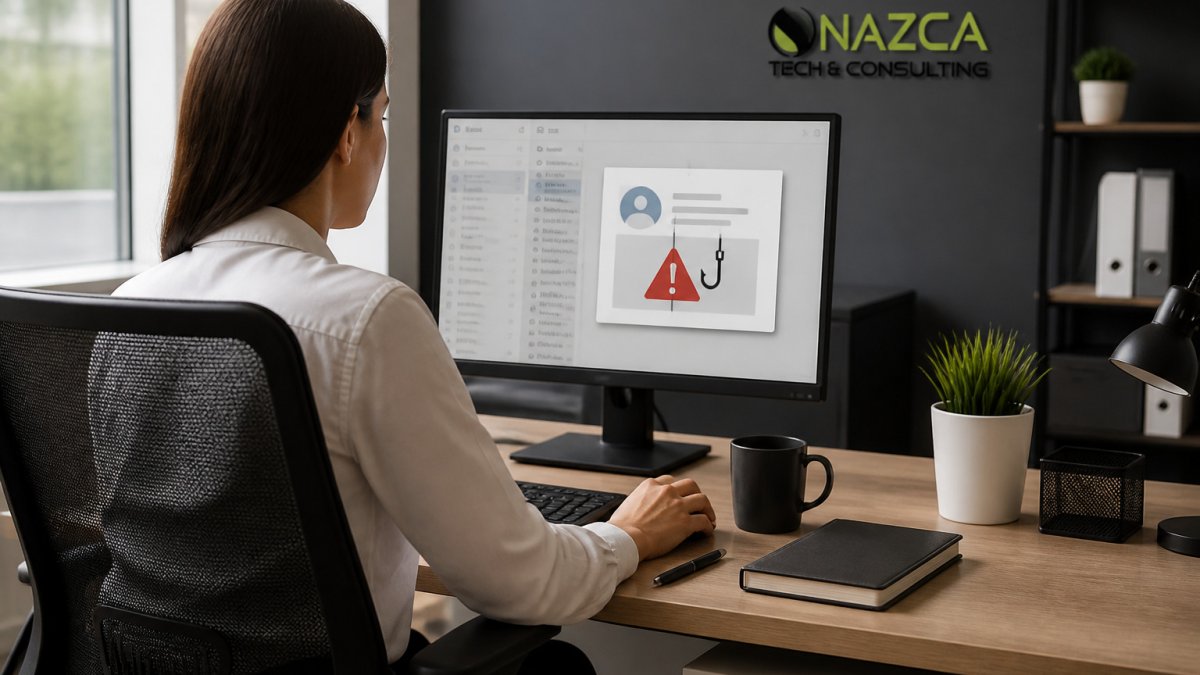
Phishing is a social engineering attack that relies on urgency, trust, and routine rather than technical tricks. Teach staff to pause when a message pushes them to hurry.
Warning Signs to Train On
- Urgent requests to log in, reset a password, or verify an account
- Sender addresses that look close to real ones but differ by a letter
- Unexpected attachments, especially zip files or documents asking to enable macros
- Links that show one address when you hover over them and go somewhere else
- Requests to change payment details or send gift cards
Encourage staff to report suspicious emails rather than delete them. A quick report helps the whole team spot the same scam.
Step 3: Apply Phishing Prevention Best Practices to Accounts
Account controls can help reduce the risk that a stolen password leads to a breach. Phishing prevention best practices here are straightforward.
- Turn on multi-factor authentication (MFA) for email, cloud storage, and every system holding customer data.
- Use a password manager so staff aren't reusing or writing down passwords.
- Give each person their own login and limit access to what their role needs.
- Review login alerts for unusual locations or times.
Watch out: text-message codes can be intercepted or phished. Where possible, use an authenticator app or a hardware key for your most sensitive accounts.
Step 4: Filter Mail and Block Malicious Links With the Right Tools
Email security tools can scan incoming messages, flag suspicious senders, and block dangerous links before they're opened.
Look for these features when you compare options:
| Feature | What It Does | Why It Matters |
|---|---|---|
| Spam and phishing filtering | Scans and quarantines risky messages | Catches threats before staff see them |
| Link protection | Checks URLs at the moment of click | Stops links that change after delivery |
| Attachment scanning | Examines files for malware | Blocks disguised documents |
| Sender authentication | Verifies SPF, DKIM, and DMARC | Reduces spoofed sender addresses |
Tools help, but they miss things. Pair them with the training from Step 2.
Step 5: Build a Phishing Incident Response Plan
A phishing incident response plan can set out steps to take after a suspicious message is reported or a credential is suspected stolen. The plan below covers verification, containment, preservation, assessment, notification, and learning.
Phase 1: Verify and declare (first 15 minutes)
- Triage the report. Use a single intake channel, a dedicated mailbox, chat channel, or help-desk queue, so reports don't scatter across personal inboxes.
- Confirm whether anyone clicked. Check mail gateway and endpoint logs for clicks, attachment opens, and credential submissions.
- Declare severity. Use a three-level scale: suspected (no confirmed click), confirmed credential exposure, and confirmed data access. The level determines who is paged.
- Name a single incident lead. One person owns decisions and communications while others execute, avoiding the most common failure mode: a group chat with no owner.
Phase 2: Contain (first hour)
- Revoke sessions, not just passwords. Reset the password and revoke active refresh tokens and sessions in the identity provider (Microsoft Entra ID, Google Workspace, Okta, or your equivalent).
- Disable forwarding and inbox rules. Audit and remove them.
- Isolate the endpoint if malware is suspected, network quarantine through your EDR tool rather than powering off, so volatile evidence survives.
- Block the sender and infrastructure. Add the sending domain, URL, and any payload hashes to your mail gateway and DNS filtering blocklists.
- Check for lateral movement. Review sign-in logs for the compromised account across all connected apps, especially CRM, billing, and file-sharing tools.
Phase 3: Preserve evidence
- Keep the original message as an .eml file with full headers, not a forwarded copy, forwarding strips the routing data investigators need.
- Export logs for affected accounts: sign-in history, audit logs, mailbox audit logs, and endpoint telemetry. Note the time zone used.
- Screenshot the phishing page if still live, and record the URL and capture time.
- Start a written timeline with timestamps for every action; it becomes the basis for any later notification or insurance claim.
Phase 4: Assess exposure
- Identify which customer records were reachable from the compromised account, not just which were viewed. Access scope matters for notification decisions.
- Classify the data. Names and emails carry different obligations than payment card data, health information, or government identifiers.
- Determine whether exfiltration occurred. Look for bulk exports, unusual download volumes, and new API tokens or connected apps.
Phase 5: Notify and communicate
- Engage counsel early. Notification duties can vary by state, industry, and data type.
- Follow the applicable breach-notification statute for each state where affected customers reside, and check sector rules such as HIPAA for health data or the Gramm-Leach-Bliley Act for financial information.
- Draft customer notice in plain language: what happened, what data was involved, when it happened, what you have done, and what the customer should do (for example, watch for follow-on phishing that references the incident).
- Brief your support team before notices go out so front-line staff can answer calls consistently.
Phase 6: Recover and learn
- Re-enable accounts only after credentials are rotated, MFA is re-enrolled, and the endpoint is cleaned.
- Run a short after-action review within two weeks: time from report to containment, tooling that slowed you down, and unclear steps.
- Update the plan and schedule the next tabletop exercise, at least annually, and after any real incident.
Do not delete the phishing email after reporting it. Deletion destroys the headers and attachments that containment and any later investigation depend on.
Step 6: Respond to an Exposed Customer Record
If customer data has been exposed, the goal is to limit harm, meet your legal duties, and keep customer trust.
1. Confirm scope before you promise anything
- Identify the data fields involved: names, contact details, account numbers, payment card data, health information, government identifiers, or credentials.
- Identify the affected population: which customers, in which states, and in what numbers.
- Determine the exposure window: the first and last timestamps of unauthorized access. This drives both notification and your customer-facing message.
2. Reduce the blast radius on the data itself
- Rotate any credentials, API keys, or tokens reachable from the compromised account.
- Re-check access permissions on affected systems and remove stale accounts, shared logins, and over-broad roles.
- Encrypt sensitive customer fields at rest where supported, and confirm backups and exports fall under the same controls.
- Limit bulk export from CRM and billing tools to named roles, and alert on unusually large exports.
3. Meet notification obligations
- Consult qualified counsel on which statutes apply. Common triggers include state breach-notification laws, sector rules such as HIPAA for health data and the Gram-Leach-Bliley Act for financial data, and contractual notice duties in vendor agreements.
- Watch the clock. Document the discovery date and consult qualified counsel about applicable notification deadlines.
- Notify regulators and credit bureaus where required by statute or contract.
- Offer credit monitoring or identity-protection services when the exposed data supports identity theft; this is often expected even when not strictly required.
4. Write customer notice that actually helps
A useful notice answers five questions in plain language:
- What happened, and when?
- What specific information about you was involved?
- What have we done to contain it?
- What should you do now, and what should you watch for?
- Who can you contact with questions?
Avoid minimizing language and blaming the customer. Tell customers you will never ask for passwords or payment details by email.
5. Harden authentication against the next attempt
Phishing-resistant authentication is one consideration alongside other account security measures.
- Prefer passkeys or hardware security keys (FIDO2/WebAuthn) for email, identity providers, and any system holding customer data. These bind the login to the legitimate site, so a phishing page cannot replay the credential.
- Treat SMS codes and push approvals as weaker. They can be phished in real time or bombarded into approval. If you must use them, restrict them to lower-risk accounts.
- Number-match push approvals where supported, so users compare a code rather than tap approve.
- Secure account recovery. Recovery is the soft underbelly of MFA: attackers phish the help desk. Require out-of-band identity verification, log every recovery event, and never let a single agent reset MFA on a high-value account without a second approval.
- Re-enroll MFA for any compromised account, and review enrolled devices for anything the attacker added.
6. Document and close out
- Keep a decision log: who was notified, when, under which statute, and why.
- Preserve evidence per Step 5 until counsel confirms retention can end.
- Feed lessons back into training and controls, update the phishing examples staff see, tighten export permissions, and add the incident pattern to your detection rules.
Booking a Phishing Readiness Review With Nazca Tech
Working through these steps is a solid start. Our team has over 21 years of experience, and our technicians are trained in HIPAA compliance and ePHI security protocols, useful if your customer records include health information.
Our hybrid support model offers remote assistance and on-site visits. Contact us for a quote.
Frequently Asked Questions
What behavior will protect you from a phishing attack?
Verify any unexpected request before acting on it. Check the sender's actual email address, hover over links to see the real destination, and contact the sender through a known phone number or official site rather than replying to the message. Never enter credentials after following a link in an email, and use multi-factor authentication on every account that holds customer data. Reporting suspicious messages quickly to your IT provider lets them block similar messages for everyone else in the organization.
How can businesses protect customer data from phishing attacks?
Combine technical controls with trained people. Limit which employees can access customer records, enforce multi-factor authentication, filter inbound email, and block known malicious URLs. Pair these with regular phishing awareness training so staff can spot lures that get past filters. Keep backups of customer data separate from production systems so a compromised account cannot erase them. Contact the team for a quote.
What should employees do if they click a phishing link?
Report it immediately to your IT or security contact, even if the click seemed harmless. Disconnect the device from the network if malware is suspected, and change the password for any account entered on the page, starting with email. Do not try to clean up the problem alone, because delay gives attackers time to move laterally. Prompt reporting, not blame, is what allows the response team to limit exposure.
What steps should a business take after a customer data breach?
Contain the incident by isolating affected accounts and systems, then preserve logs so investigators can determine what was accessed. Identify which customer records were exposed, notify affected customers and the appropriate regulators as required by applicable U.S. state breach notification laws, and document each action taken. Reset compromised credentials, close the access path that was used, and review the incident to update training and controls. Request a consultation to discuss your situation.