 How-to
How Can Healthcare Practices Prevent Data Breaches?
Last Updated: November 13, 2026
Quick Summary
Healthcare data breach prevention comes from a set of connected habits and controls, not a single tool. Start with a HIPAA security risk assessment, then turn on multi-factor authentication, patch systems on a schedule, back up data offline, restrict access by role, and train staff to spot phishing.
- A security risk assessment is the foundation, showing what patient data you hold and where the weaknesses are.
- Turn on multi-factor authentication for email, remote access and any system with patient records.
- Back up data offline or to a separate location so ransomware cannot wipe your only copy.
- Run simulated phishing tests a few times a year and treat results as coaching, not punishment.
- Keep a vendor inventory and confirm a business associate agreement is in place for every vendor handling PHI.
Table of Contents
- Why Healthcare Data Breaches Keep Rising
- Healthcare Data Breach Causes You Need to Plan For
- Start With a HIPAA Security Risk Assessment
- Healthcare Cybersecurity Best Practices That Actually Reduce Risk
- Securing Vendors, Cloud Systems and Connected Devices
- Building a Healthcare Incident Response Plan
- Prioritizing Prevention on a Limited Budget
- Scheduling Your Next Security Review With Nazca Tech
- Frequently Asked Questions
Healthcare data breaches are getting worse. Securing patient data starts with knowing where your risk actually sits.
Healthcare data breach prevention strategies are not one tool or one purchase. They are a set of habits and controls that work together. This guide covers the causes to plan for, the controls that do the most good, and a practical way to start on a limited budget.
Why Healthcare Data Breaches Keep Rising
Breaches keep making headlines because the stakes are high and the targets are attractive.
Patient records carry Social Security numbers, insurance details and medical histories. That combination is valuable on the criminal market, and many practices run older systems that are hard to keep patched.
Healthcare Data Breach Causes You Need to Plan For
Most breaches do not start with an elaborate attack. Plan for outsiders getting in and for mistakes or misuse from people already inside.
Common causes to plan for include:
- Phishing emails that trick staff into giving up passwords
- Ransomware that locks scheduling and records systems
- Stolen or weak passwords on shared logins
Start With a HIPAA Security Risk Assessment
A security risk assessment is the foundation for every other step. It tells you what patient data you hold, where it lives, who can reach it, and which weaknesses matter most.
A useful assessment covers:
- A full list of systems that store or move electronic protected health information (ePHI)
- Who has access to each system and whether that access is still needed
- Gaps in encryption, backups and logging
Write the results down. For guidance on organizing that evidence for annual reviews, see how to document HIPAA compliance for annual audits.
The steps below summarise what a practice's first security risk assessment should cover and when to repeat it.
| Assessment step | What to check | Output |
|---|---|---|
| Inventory ePHI systems | Every system that stores or moves ePHI | Complete system list |
| Review access | Who can reach each system, and whether still needed | Access list with removals |
| Check safeguards | Gaps in encryption, backups and logging | Gap list |
| Find vulnerabilities | Known vulnerabilities and missing patches | Patch priority list |
| Map vendors | Vendors and cloud services touching patient data | Vendor list |
Healthcare Cybersecurity Best Practices That Actually Reduce Risk
The controls below address the most common causes of breaches. Start at the top and work down.
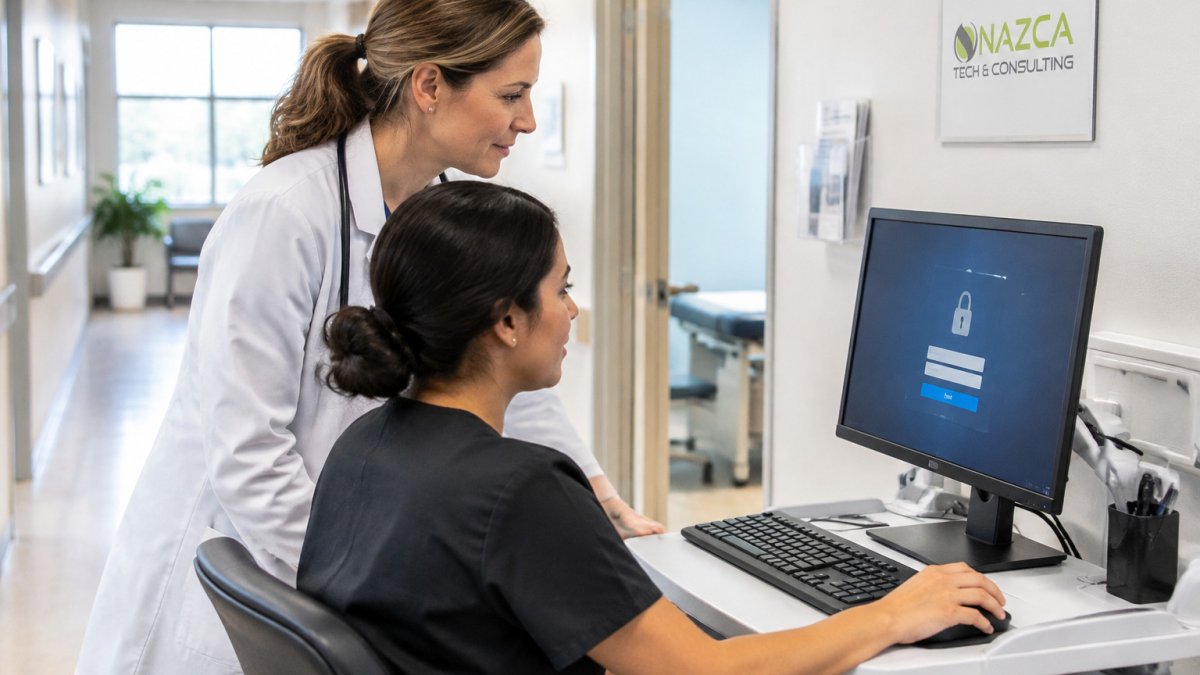
- Turn on multi-factor authentication for email, remote access and any system with patient records
- Patch operating systems and applications on a fixed schedule, not "when we get to it"
- Back up data offline or to a separate location so ransomware cannot wipe your only copy
Encryption and Access Controls
Encryption protects patient data in motion and at rest. Apply that rule to email, file transfers, and remote connections. Our step-by-step guide to securing ePHI walks through each of these controls in order.
Access controls answer a simple question: who can see what? Give each person the minimum access their job requires, remove accounts when people leave, and review shared logins.
Staff Training and Phishing Defense
Your staff is your first line of defense and your most common weak point. Training works best when it is short, regular and specific to your office.
Teach staff to:
- Check the sender address before clicking any link or attachment
- Report suspicious emails immediately, even if they clicked by accident
- Never share login credentials, including with someone claiming to be IT
Run simulated phishing tests a few times a year and treat results as coaching, not punishment.
Securing Vendors, Cloud Systems and Connected Devices
Modern practices rely on more outside systems than ever: cloud scheduling, billing services, telehealth platforms, remote monitoring tools, and connected medical devices. Each is a possible door into your patient data and must be managed as part of your security program.
Build a vendor inventory first
You cannot manage vendors you have not listed. Create a simple inventory that records, for every vendor that creates, receives, maintains, or transmits PHI:
- The service they provide and the systems they connect to
- Whether a business associate agreement (BAA) is in place and its expiration date
- The name of the vendor's security contact
Update the inventory whenever a new service is adopted. A common pattern is that a marketing tool, patient portal add-on, or scheduling app gets purchased by a department and never reaches the security list. Practices evaluating outside partners to help manage this can read how to choose an IT provider for medical offices.
Business associate agreements: what to actually check
A BAA is required when a vendor handles PHI on your behalf, and it must include the elements the HIPAA Privacy Rule specifies, permitted uses and disclosures, safeguards, breach reporting, and return or destruction of data at termination. Beyond signing, verify:
- Breach reporting timeline. The BAA should require the vendor to notify you promptly, and in no case later than the 60-day outer limit that applies to business associates under the Breach Notification Rule. Push for 24 to 72 hours in the contract where the vendor will agree.
- Subcontractor flow-down. The vendor must impose the same terms on any subcontractor that touches PHI.
- Access and audit rights. You need the right to receive security documentation and, where relevant, audit results.
A signed BAA is not evidence of security. Pair every agreement with a review of the vendor's current safeguards, and revisit it annually.
Assess and monitor vendors after signing
Before onboarding, ask for the vendor's most recent independent security assessment, such as a SOC 2 Type II report, and read the exceptions rather than the cover page. Ask how they encrypt data at rest and in transit, where data is stored, how they handle vulnerability management, and how they will notify you of an incident. For smaller vendors, a written security questionnaire is better than nothing.
After onboarding, monitor. Review the vendor inventory quarterly, confirm BAAs are current, and track any security incidents the vendor discloses. If a vendor suffers a breach, your notification obligation may be triggered even though the incident happened on their systems, so the relationship needs an owner inside your practice.
Cloud services and remote access
Cloud hosting does not transfer responsibility. Under the HIPAA Security Rule, you remain accountable for safeguards on ePHI in cloud environments. Practical controls:
- Require multi-factor authentication for every cloud administrative account and for remote access to practice systems.
- Confirm the cloud provider will sign a BAA; many major providers offer one, but you must request and retain it.
- Restrict administrative consoles to known locations or IP ranges where the provider supports it.
For telehealth and remote work, use practice-managed devices where possible, require a password-protected screen lock, and keep clinical sessions off shared home accounts. Clinics running video visits should also review how to secure telehealth platforms for patient privacy.
Connected medical devices
Medical devices, imaging systems, infusion pumps, monitors, and laboratory analyzers, often run older operating systems that cannot be patched on a normal schedule. Treat them as a distinct risk category:
- Keep a device inventory with model, operating system, network address, and the manufacturer's security contact.
- Segment device networks from general office and guest networks so an infected laptop cannot reach a device.
- Change default credentials on every device before it goes live, and restrict remote service access to vendor-initiated sessions that are logged and time-limited.
A short, current inventory plus network segmentation addresses most device-related exposure without replacing equipment.
Building a Healthcare Incident Response Plan
Prevention will not stop every incident, so you also need a written plan for when one happens. Teams that practice their response recover faster, spend less, and keep seeing patients while systems are down. The plan should be a short, printed document any manager can pick up at 2 a.m. and follow.
Name the roles before you need them
A workable plan assigns four jobs by name, not by department:
- Incident lead, one person who decides whether to isolate a system, who authorizes outside forensics help, and who speaks to leadership.
- Technical responder, the person or vendor who can pull logs, disable accounts, and disconnect devices from the network.
- Privacy officer, the HIPAA-designated contact who evaluates whether protected health information (PHI) was involved and drives any notification decision.
Name a backup for each role. A common pattern is that the incident lead is also the only person who knows the backup process, which stalls recovery on day one.
Containment and evidence preservation
The first hour matters more than the first week. A practical sequence:
- Stop the spread. Disable compromised accounts, revoke active sessions, and disconnect affected endpoints from the network. Do not power off machines unless instructed, volatile memory and running processes are evidence.
- Preserve logs. Export authentication logs, email gateway logs, endpoint detection alerts, and EHR audit trails to a separate location before rotating credentials or rebuilding systems. Many EHRs retain audit logs for a limited window, so pull them early.
- Document the timeline. Record when the incident was discovered, by whom, what was observed, and every action taken with timestamps. This record supports both the investigation and any later notification obligation.
- Engage help early. If ransomware or confirmed unauthorized access to PHI is involved, bring in outside forensics and counsel rather than improvising. The cost of a delayed call usually exceeds the cost of the engagement.
Watch out: rebuilding a server before exporting its logs destroys the evidence you need to determine whether PHI was accessed, and therefore whether notification is required.
Breach notification obligations
Under the HIPAA Breach Notification Rule, covered entities must notify affected individuals and the Secretary of the Department of Health and Human Services of a breach, with timing that depends on the size of the breach.
Build the notification workflow into the plan: who drafts the letter, who reviews it, how you reach patients whose contact information sits in the compromised system, and how you document the decision if you conclude notification is not required.
Recovery and clinical continuity
Recovery is where security plans and patient safety meet. Decide in advance:
- Which clinical workflows can run on paper for 24 to 72 hours, and where the paper forms are stored.
- How staff will access a current medication list and allergy history if the EHR is offline.
- Which systems must be restored first, usually scheduling, registration, and the EHR in that order, and who authorizes the restore.
A downtime kit with printed forms, contact lists, and a checklist for each clinical area is inexpensive and repeatedly proves its worth. Test the kit during the tabletop exercise, not during the incident.
Test the plan at least once a year
Run a short tabletop exercise, 60 to 90 minutes is enough, with a realistic scenario such as ransomware on a billing server or a phishing compromise of an executive mailbox. Walk through detection, containment, notification, and downtime. Record what broke, assign an owner to each fix, and set a re-test date. A plan that has never been exercised is a document, not a capability.
Prioritizing Prevention on a Limited Budget
Most small practices cannot fund every control at once. Focus on the steps that reduce the most risk for the least money:
- Turn on multi-factor authentication for email and remote access
- Set up offline or separate backups and test a restore
- Enforce a patching schedule for servers and workstations
- Run a short phishing awareness session for all staff
- Complete a basic risk assessment and fix the top three findings
Revisit the list every quarter. Small, steady improvements beat a big project that never gets finished. Pricing depends on practice size and scope of work, so request a quote from Nazca Tech for current numbers.
Scheduling Your Next Security Review With Nazca Tech
Healthcare data breach prevention strategies only work when someone checks them regularly. Schedule a security review at least once a year, and again after any major change such as a new vendor, a new location or a move to cloud systems. Our technicians are trained in HIPAA compliance and ePHI security protocols, and we offer remote support within 1 hour and on-site help within 3 hours for emergencies.
Frequently Asked Questions
How can healthcare organizations prevent data breaches?
Start with a documented HIPAA security risk assessment to find where electronic protected health information lives and who can reach it. Then close the most common gaps: enforce multi-factor authentication, apply least-privilege access, encrypt data at rest and in transit, and patch systems on a schedule. Controls should cover both outside threats and internal misuse.
What are the most common causes of healthcare data breaches?
Phishing emails that capture staff credentials are a frequent entry point, and weak access controls let a single compromised account reach large amounts of patient data. Lost or unencrypted devices and vendor systems with weak safeguards also appear often, which is why healthcare cybersecurity best practices must cover staff, devices and business associates together.
How often should healthcare organizations review their cybersecurity risks?
Review risks at least once a year and after any significant change, such as a new EHR system, a new vendor, a move to cloud hosting, or a security incident. A HIPAA security risk assessment is not a one-time task, because staff, software and threats all change. Keep a dated record of each review and the actions taken, so you can show progress to auditors and leadership.
What should a healthcare organization do after a data breach?
Contain the incident first by isolating affected accounts and systems, and preserve logs for investigation. Then activate your healthcare incident response plan, assess which patient data was exposed, and determine notification obligations under HIPAA's breach notification rule. Document every step, restore systems from clean backups, and review what allowed the breach so the same gap is closed.