
 how-to
IT Support Response Time SLAs: A How-To Guide
Table of Contents
- What IT Support Response Time SLAs Actually Mean
- SLA Response Time vs Resolution Time: Understanding the Difference
- IT Support Ticket Priority Levels and Response Expectations
- Standard SLA Response Time Benchmarks for 2026
- Building Your SLA: Step-by-Step
- Automating SLA Tracking and Avoiding Common Pitfalls
- What Happens When SLAs Break
- Conclusion
- Frequently Asked Questions
Last Updated: October 2, 2026
What IT Support Response Time SLAs Actually Mean
An IT support response time Service Level Agreement (SLA) is a contract that defines how fast your support team must acknowledge when something breaks, not how fast they fix it.
According to Unthread's 2026 analysis of support ticket benchmarks, the average first response time across the industry is 7 hours and 4 minutes. That's the baseline.
At Nazca Tech, we've worked with healthcare practices and startups that initially thought SLAs were about resolution times. They weren't.
SLA Response Time vs Resolution Time: Understanding the Difference
A P1 incident might have a 15-minute response time SLA but a 4-hour resolution target. The engineer acknowledges the issue immediately; the actual fix takes longer.
According to TechMate's 2026 analysis of IT response times, low-priority requests average 24-48 hours for resolution, while critical issues are increasingly targeted for 4-hour resolution windows. Response times for those same critical issues are much tighter, often 15-30 minutes.
Most SLA breaches occur when teams promise 2-hour resolution but can only guarantee 2-hour response. Customers expect the fix in 2 hours; when resolution takes 6 hours, it's a breach.
Why This Distinction Matters for Your Business
Separating response and resolution protects both sides. Your business can commit to fast acknowledgment even if fixes take time. Customers know someone is working on their problem within minutes, even if the solution isn't immediate.
The Deepser 2026 best practices guide for SLAs recommends a 30-minute acknowledgment target with a 95% adherence rate. That's achievable for most teams. A 4-hour resolution target is also realistic for many incident types. Combining these into a single metric creates impossible expectations.
Companies with rigorous SLA management, separating response from resolution, achieve up to 20% higher customer retention and a 15% reduction in operational costs, according to Usked's 2026 report on effective service level agreements.
IT Support Ticket Priority Levels and Response Expectations
Not all incidents are equal. A downed email server affects 50 people; a printer issue affects one. Priority levels (typically P1-P4) determine response time windows based on impact.
P1 Through P4 Defined
P1 (Critical): Complete service outage. No one can work.
- Response time: 15 minutes
- Resolution target: 4 hours
- Example: All servers down, total network failure, database unreachable
P2 (High): Major functionality broken. Multiple users affected. Workarounds exist but are painful.
- Response time: 1 hour
- Resolution target: 8 hours
- Example: Email system slow, file server intermittent, VPN not connecting
P3 (Medium): Single user or small group affected. Core functionality works.
- Response time: 4 hours
- Resolution target: 24 hours
- Example: One person's laptop won't connect to network, printer queue stuck, software license error
P4 (Low): Cosmetic issue or feature request. No impact on operations.
- Response time: 24 hours
- Resolution target: 48 hours
- Example: Password reset requests, software update questions, minor UI bugs
Define priorities consistently before writing the SLA. A common mistake is making P1 too broad, if everything is critical, nothing is.
Standard SLA Response Time Benchmarks for 2026
Industry standards reflect what teams can realistically achieve. A 99.9% uptime guarantee allows approximately 43 minutes of downtime per month, the baseline for SaaS platforms.
For response times, here's what the market expects:
| Priority Level | Standard Response Time | Industry Target | Achievable? |
|---|---|---|---|
| P1 (Critical) | 15 minutes | 95% adherence | Yes, with on-call rotation |
| P2 (High) | 1 hour | 90% adherence | Yes, with business hours coverage |
| P3 (Medium) | 4 hours | 85% adherence | Yes, with standard helpdesk |
| P4 (Low) | 24 hours | 80% adherence | Yes, with ticketing system |
These numbers assume business hours support. If you promise 24/7 coverage, response times tighten and costs increase significantly. A large data center management firm achieved 99.1% SLA adherence and 93% improvement in response time by using offshore expert teams, according to BetSol's case study on managed IT support.
The mistake most teams make is promising faster times than they can deliver. A 15-minute response time for P1 requires someone monitoring tickets constantly. For a small team, that's not realistic unless you have on-call rotation and proper staffing.
Building Your SLA: Step-by-Step
Writing an effective SLA requires knowing your team's capacity, customers' expectations, and risk tolerance. Negotiate and align expectations with your customer before signing.
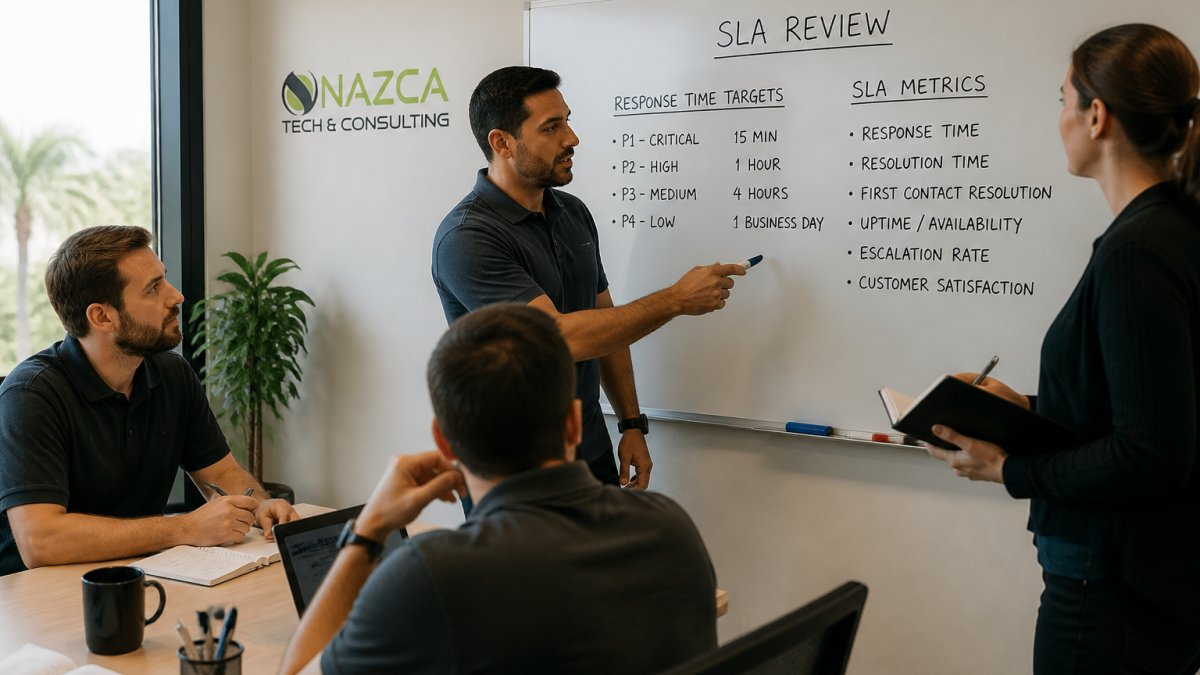
Step 1: Define Your Incident Categories and Impact Levels
Start by listing every type of incident your team handles. Categorize them by impact, not urgency. How many users are affected? How much revenue is at risk? How critical is the function?
Assign incidents to priority levels based on impact, not emotion. Document definitions with examples for each level to prevent disputes and ensure objective assignment.
Step 2: Assess Your Team's Actual Capacity
Review actual performance over 3-6 months. If your team averages 2 hours to respond but occasionally takes 6 hours, promise 2-3 hours and exceed it regularly. Factor in staffing, issue complexity, escalation time, and testing. Be conservative, a missed SLA damages reputation more than an achievable one.
Step 3: Negotiate Realistic Targets with Your Customer
This is where many teams fail. They write an SLA in isolation and present it to the customer as a take-it-or-leave-it offer. That's a mistake.
Understand their pain points and be transparent about trade-offs: 15-minute response requires 24/7 staffing (expensive), 1-hour response is cheaper, 4-hour response is cheapest. Offer tiered SLAs (Standard, Premium, Enterprise) so customers choose the level matching their budget.
Step 4: Clarify Coverage Hours, Escalation Paths, and Out-of-Scope Items
Define coverage hours clearly. 24/7 support requires staffing around the clock and tighter response times (expensive).
Document escalation paths: who handles P1 incidents, who's the backup, escalation timing if primary contact is unavailable. Include phone numbers and email addresses.
Define out-of-scope items: shadow IT support, third-party integrations, custom development, and data recovery. Explicit scope prevents disputes and sets realistic expectations.
Step 5: Plan for SLA Renegotiation as Your Business Scales
Your SLA won't stay the same forever. As your business grows, your team's capacity changes. As your customer's business grows, their needs change. You need a plan for renegotiation.
Schedule annual SLA reviews based on actual performance data. Adjust targets if you consistently exceed or miss them. Anticipate growth by building in adjustment clauses if incident volume exceeds thresholds.
Automating SLA Tracking and Avoiding Common Pitfalls
Manual SLA tracking fails. Without automation, response time SLAs become a compliance checkbox rather than operational discipline.
How SLA Automation Works in Practice
Modern IT Service Management (ITSM) platforms automate SLA enforcement through three core mechanisms:
Ticket State Transitions and Timer Start. The system automatically starts the response-time clock when a ticket is created. Define which states trigger the timer and which pause it (e.g., "Waiting on Customer"). This prevents breaches caused by customer delays.
Escalation Alerts and Breach Prediction. Automation alerts your team before breaches occur. Predictive escalation automatically escalates unassigned tickets at 80-95% of the SLA window, preventing 70% of unintentional breaches.
Compliance Reporting and Trend Analysis. Automation generates compliance reports showing which priority levels are missed, which team members exceed targets, and which incident types take longest to resolve.
Common Automation Pitfalls
Pitfall 1: Misconfigured Timer Logic. Start the SLA timer at ticket creation, not assignment. Exclude certain hours (nights, weekends) for business-hours-only support.
Pitfall 2: No Pause or Hold Mechanism. Configure automation to pause timers when waiting for customer information or vendor input.
Pitfall 4: Unrealistic Promises. Automation can't fix an impossible SLA, it only makes breaches visible faster.
Tools and Integration Patterns
Popular ITSM platforms (Jira Service Management, ServiceNow, Zendesk, Freshservice) offer SLA automation. Choose platforms that support custom SLA definitions, pause/resume logic, predictive alerts, on-call integration, compliance reporting, and hour exclusions. Critical: integrate your ticketing system with on-call tools to automatically page engineers for after-hours P1 tickets.
What Happens When SLAs Break
SLA breaches have real consequences. Financial penalties are common. Loss of customer trust is worse.
SLA breaches trigger remedies: service credits, escalation, termination rights, or financial penalties. Beyond financial impact, breaches damage relationships, replacing a customer costs 5-25 times more than retaining one.
Conclusion
IT support response time SLAs define the speed at which your team acknowledges and resolves incidents. They separate response time (acknowledgment) from resolution time (actual fix). They assign priorities to incidents based on impact.
Building an effective SLA means understanding your team's capacity, setting realistic targets, and automating tracking.
Get started with Nazca Tech and establish SLAs your team can actually meet.
Frequently Asked Questions
What is the typical response time for IT support SLAs?
The average first response time across industry benchmarks is 7 hours and 4 minutes. However, critical P1 incidents typically require a 15-minute response, while low-priority requests average 24-48 hours. Best practices recommend a 30-minute acknowledgment target with 95% adherence. Your actual SLA should reflect your business's operational needs and support capacity.
How do you categorize P1, P2, P3, and P4 support tickets?
P1 (Critical) covers total system outages requiring 15-minute response. P2 (High) addresses significant functionality loss needing 1-4 hour response. P3 (Medium) involves partial issues with 4-8 hour response windows. P4 (Low) covers minor problems with 24-48 hour resolution targets. Each level determines escalation paths, staffing requirements, and accountability for meeting response time commitments.
What's the difference between response time and resolution time in an SLA?
Response time is when your support team first acknowledges the ticket, typically 15 minutes to 2 hours depending on priority. Resolution time is when the issue is fully fixed. A P1 incident might require a 15-minute response but a 4-hour resolution. Confusing these metrics leads to missed SLA targets and customer frustration, so your SLA must define both separately.
Can a small healthcare practice actually get fast IT support response times?
Yes. Managed IT service providers serving healthcare practices offer rapid response commitments: 1 hour for remote support and 3 hours for on-site emergencies. HIPAA-compliant providers understand that downtime directly impacts patient care and revenue. Your SLA should specify response times for critical incidents, acknowledgment windows, and escalation procedures to ensure your practice gets priority support when you need it most.