 listicle
Managed Cloud Hosting for Custom Apps: 2026 Guide
Table of Contents
- What Is Managed Cloud Hosting for Custom Applications
- Top Managed Cloud Hosting Providers for Custom Apps
- Cloud Hosting Security Compliance Standards
- Best Practices for Cloud Application Deployment
- Containerization as the Foundation
- CI/CD Pipeline Integration: From Code Commit to Production
- Environment Parity and Configuration Management
- Stateless Application Design for Horizontal Scaling
- Application Performance Monitoring and Observability
- Load Balancing and Graceful Degradation
- Pre-Migration Dependency Audit
- Managed Cloud Hosting Pricing Models Explained
- Managed vs. Unmanaged Cloud Hosting: What Matters
- Conclusion
- Frequently Asked Questions
Last Updated: September 4, 2026
What Is Managed Cloud Hosting for Custom Applications
Managed cloud hosting for custom apps is a service model where a provider handles the underlying infrastructure, security patching, and server monitoring so your team can focus on code, not capacity planning. The shift is dramatic: Gartner's research via Softjourn projects that 95% of new digital workloads will run on cloud-native platforms by 2026, up from just 30% in 2021. At Nazca Tech, we've watched this transition reshape how small and mid-market businesses deploy everything from patient portals to inventory systems. The core value proposition is simple: you rent the operational expertise along with the servers.
That distinction matters more than most buyers realize. With managed cloud hosting, the provider owns uptime guarantees, firewall configuration, and automated backups. Your developers deploy code through a pipeline while the vendor handles the rest. The global cloud computing market reflects this demand, valued at $1,188.1 billion in 2026 with a projected 16.0% CAGR through 2033 according to Grand View Research's industry analysis.
Top Managed Cloud Hosting Providers for Custom Apps
The provider landscape splits into two camps: platforms that abstract infrastructure entirely and those that give you managed services over raw compute. For custom applications, the choice determines your deployment speed, scaling ceiling, and monthly bill. Managed hosting maintains the largest share of the web hosting services market at 32.94% in 2026, per Fortune Business Insights' market report, confirming that most teams prefer someone else handling the servers.

Nazca Tech: Custom Development and Managed Hosting
Nazca Tech pairs managed cloud hosting with custom software development, so the team that builds your application also maintains its infrastructure. Our technicians are trained in HIPAA compliance and ePHI security protocols. We offer 1-hour remote support and 3-hour on-site response times, backed by a dedicated help-desk portal. For regulated industries, this integration prevents finger-pointing when separate vendors manage your app and servers.
Cloudways: Simplified Multi-Cloud Deployment
Cloudways lets you deploy on AWS, Google Cloud, or DigitalOcean through one interface, starting at $11/month. It offers one-click deployment, automated backups, and staging environments, but pricing varies by underlying provider.
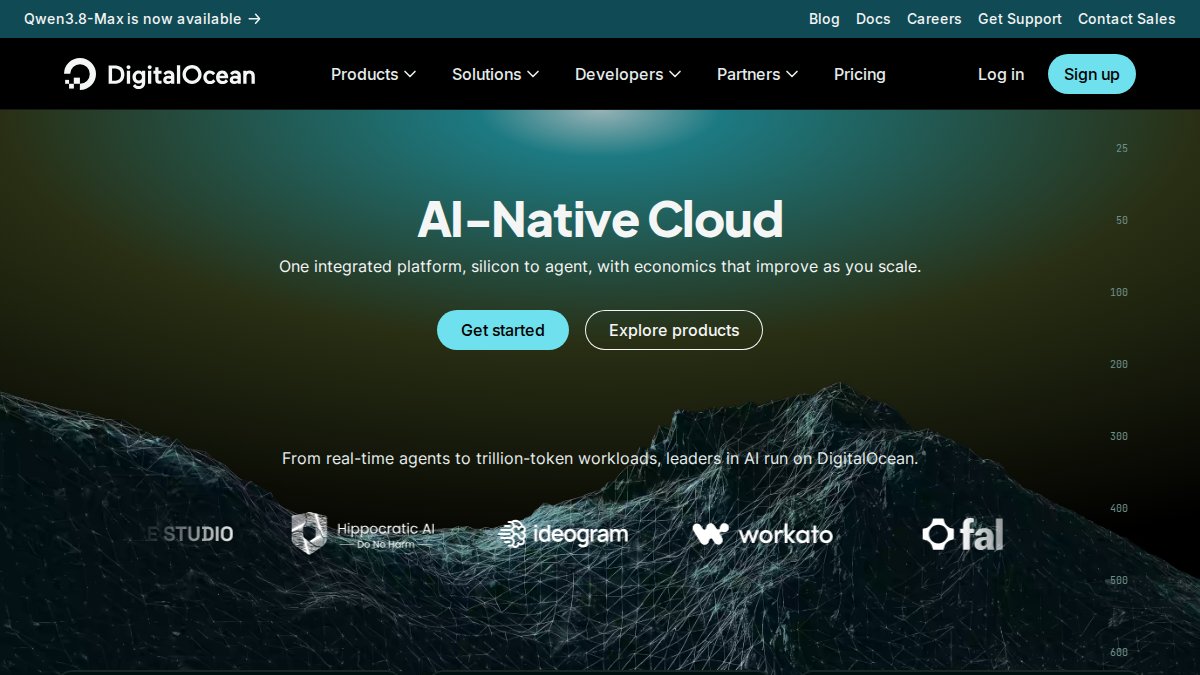
DigitalOcean: Developer-Friendly Infrastructure
DigitalOcean's Droplets offer predictable pricing starting at $11/month with managed Kubernetes and a developer-focused API. It requires more technical knowledge than fully managed platforms, so you'll handle some configuration.
Heroku: Platform-as-a-Service for Rapid Scaling
Heroku lets developers push code and scale through dynos without server configuration. GitHub integration and add-ons accelerate development, but costs escalate with scale and customization is limited.
Northflank: Multi-Cloud Without Vendor Lock-In
Northflank addresses vendor lock-in fears with automated CI/CD, managed databases, and multi-cloud monitoring. The downside is less brand recognition and community documentation than hyperscalers.
Nazca Tech's Role in the Provider Ecosystem
| Provider | Starting Price | Best For | Key Limitation |
|---|---|---|---|
| Nazca Tech | Custom quote | HIPAA-compliant custom apps | Requires consultation for scoping |
| Cloudways | $11/month | Multi-cloud flexibility | Pricing varies by provider |
| DigitalOcean | $11/month | Developer-led teams | Requires technical expertise |
| Heroku | Usage-based | Rapid deployment | Costs scale with usage |
| Northflank | Custom quote | Avoiding vendor lock-in | Smaller community |
Cloud Hosting Security Compliance Standards
Security compliance splits into two layers: what the provider secures (infrastructure, firewalls, SSL, patching) and what you must secure (application-level security, data encryption, access controls). For healthcare, HIPAA compliance requires vendors handling ePHI to sign a business associate agreement and demonstrate technical safeguards. Generic cloud providers give compliant infrastructure but won't configure it for your workflow. Nazca Tech's technicians are trained in HIPAA compliance and ePHI security protocols.
Best Practices for Cloud Application Deployment
Containerization as the Foundation
Start with Docker containerization to ensure your application runs identically across development, staging, and production. A Dockerfile becomes the single source of truth, and lets the provider's orchestration layer handle scaling automatically.
CI/CD Pipeline Integration: From Code Commit to Production
CI/CD pipelines automate the journey from code commit to production: developer pushes code → CI builds Docker image and runs tests → image is pushed to registry → platform detects new image and rolls out to staging with integration tests → platform monitors and auto-rolls back if health checks fail. This reduces deployment time from hours to minutes.
Environment Parity and Configuration Management
Store all configuration (database URLs, API keys, feature flags) in your platform's secrets management system, never in code. This keeps sensitive data out of version control and prevents deploying staging credentials to production.
Stateless Application Design for Horizontal Scaling
Horizontal scaling requires stateless applications where each request can be handled by any instance. Move session state to managed databases or cache services (Redis, Memcached) and files to object storage (S3, Google Cloud Storage).
Application Performance Monitoring and Observability
Northflank's analysis of managed services notes that managed services abstract infrastructure management, but that abstraction creates a visibility gap. You can't SSH into the server to debug, so you must instrument your application with monitoring from day one.
Configure application performance monitoring (APM) tools like New Relic, Datadog, or open-source alternatives (Prometheus, Grafana) to track:
- Response latency: How long requests take to complete, broken down by endpoint.
- Error rates: The percentage of requests that fail, and which endpoints fail most often.
- Database query performance: Which queries are slow and whether they're blocking user requests.
- Resource utilization: CPU, memory, and disk usage to identify scaling bottlenecks.
Set up alerts when latency exceeds 500ms or error rates spike above 1%, so your team is notified before users discover problems.
Load Balancing and Graceful Degradation
Design applications to handle graceful degradation when downstream services fail: detect failures through timeouts, return user-friendly errors, log failures, and queue operations for retry. Applications that don't handle dependency failures gracefully cascade failures across infrastructure.
Pre-Migration Dependency Audit
Before migrating to managed cloud hosting, map every external dependency: databases, third-party APIs, file storage, message queues, and caching layers.
For each dependency, verify network connectivity, credential storage, rate limits, and data residency requirements. A dependency audit before migration prevents production incidents from misconfigured integrations.
Managed Cloud Hosting Pricing Models Explained
Managed cloud hosting pricing falls into three categories: subscription tiers, usage-based billing, and custom enterprise contracts. Calculate total cost of ownership rather than comparing headline prices.
Subscription Tier Pricing: Predictable but Inflexible
Subscription models charge a flat rate for defined resources. They work well for stable traffic but penalize growth. Hidden costs include backup storage ($5-20/month), data egress ($0.10-0.20/GB), and premium support ($100-500/month).
Usage-Based Billing: Pay for What You Use
Usage-based models bill according to compute, memory, and data consumed. They suit variable workloads but create cost unpredictability, a traffic spike can spike bills 5-10x. Usage-based is more expensive for steady-state applications but cheaper for bursty workloads.
Custom Enterprise Contracts: Bundled Services and Compliance
Enterprise contracts bundle infrastructure with support, compliance services, and custom configurations. Pricing depends on quantity, dates, and delivery. For current prices or a quote, please visit Nazca Tech's website.
Total Cost of Ownership: The Real Comparison Framework
Calculate TCO over 12 months, including direct costs (infrastructure, backups, support, compliance) and indirect costs (DevOps labor, downtime, training). Managed hosting typically costs less than self-hosting when accounting for DevOps headcount.
Cost-to-Performance ROI Analysis
Evaluate cost-to-performance: application performance (throughput, latency, availability) per dollar spent. A tier might handle 1,000 RPS with 100ms latency and 99.9% availability. A managed service might handle 10,000 RPS with 50ms latency and 99.99% availability. For healthcare applications where downtime is critical, the 99.99% availability justifies the premium.
:::tip Before committing to a hosting provider, define your performance requirements (throughput, latency, availability) and calculate cost per unit of performance. This prevents overpaying for capacity you don't need and ensures you don't underpay for performance that's critical to your business.
Hidden Costs and Cost Control Strategies
Common hidden costs include data egress, backup storage, premium support, and compliance services. Control costs by monitoring usage, right-sizing resources, caching via CDN, automating scaling, and negotiating discounts. Well-optimized deployments cost 30-50% less than poorly optimized ones.
Managed vs. Unmanaged Cloud Hosting: What Matters
The managed versus unmanaged decision comes down to one question: where does your team add the most value? Unmanaged cloud hosting, typically raw virtual private servers or infrastructure-as-a-service, gives you root access and complete control. You configure the operating system, install the runtime, manage security patches, and handle scaling yourself. The cost savings are real, but so is the operational burden.
Managed cloud hosting shifts that burden to the provider. They handle server provisioning, security patching, database management, and monitoring. Your team deploys code and focuses on application logic. The tradeoff, as Northflank's platform analysis points out, is that managed services abstract away control, which may limit deep customization for specific infrastructure requirements compared to self-managed solutions.
For most custom applications, the managed route wins on total cost of ownership. Consider the ROI: a mid-level DevOps engineer commands a six-figure salary. If managed hosting costs an extra $500 to $2,000 per month, you need less than one day of that engineer's time per month to justify the premium. The math becomes even more favorable when you factor in the cost of downtime, which managed providers mitigate through high-availability infrastructure and proactive monitoring.
Conclusion
Choosing managed cloud hosting requires balancing infrastructure control against operational overhead. Most development teams shouldn't spend time on security patching and server monitoring. For businesses handling sensitive data, the hosting decision carries compliance implications that generic providers may not address. Nazca Tech combines managed cloud hosting with custom development and HIPAA-trained support, giving you a single partner for building and running your application. Get started with Nazca Tech and join now to put your custom application on infrastructure that scales with your business.
Frequently Asked Questions
What is managed cloud hosting and how does it differ from traditional hosting?
Managed cloud hosting abstracts away infrastructure complexity, allowing developers to deploy code while the provider handles server provisioning, security patching, and monitoring. Unlike traditional hosting, managed cloud hosting offers automated backups, load balancing, and horizontal scaling without requiring deep DevOps expertise. This approach lets teams focus on application development rather than infrastructure management, reducing operational overhead while improving uptime and performance.
What security compliance standards should custom applications meet on managed cloud hosting?
Custom applications on managed cloud hosting must comply with industry-specific regulations. For healthcare, HIPAA compliance ensures patient data protection through encryption and access controls. Financial applications require PCI DSS compliance for payment card data. Many platforms offer automated security patching, firewall configuration, and SSL certificate management. Verify that your provider conducts regular security audits and provides detailed compliance documentation before deployment.
How do managed cloud hosting pricing models work for custom applications?
Managed cloud hosting pricing models typically fall into three categories: subscription-based (fixed monthly fees), usage-based (pay for actual resources consumed), or hybrid approaches. Subscription models work well for predictable workloads, while usage-based pricing suits applications with variable traffic. Request a quote to understand total cost of ownership for your specific application.
What are the best practices for deploying custom applications to managed cloud hosting?
Effective deployment requires setting up CI/CD pipelines for automated testing and releases, implementing container orchestration for scaling, and configuring automated backups with redundancy. Use environment parity between staging and production, monitor application performance continuously, and plan for horizontal scaling to handle traffic spikes. Version control, infrastructure-as-code, and comprehensive logging enable rapid troubleshooting. Establish clear deployment schedules and rollback procedures to minimize downtime during updates.
This article was written using GrandRanker
Frequently Asked Questions
Q: What is managed cloud hosting and how does it differ from traditional hosting?
A: Managed cloud hosting abstracts away infrastructure complexity, allowing developers to deploy code while the provider handles server provisioning, security patching, and monitoring. Unlike traditional hosting, managed cloud hosting offers automated backups, load balancing, and horizontal scaling without requiring deep DevOps expertise. This approach lets teams focus on application development rather than infrastructure management, reducing operational overhead while improving uptime and performance.
Q: What security compliance standards should custom applications meet on managed cloud hosting?
A: Custom applications on managed cloud hosting must comply with industry-specific regulations. For healthcare, HIPAA compliance ensures patient data protection through encryption and access controls. Financial applications require PCI DSS compliance for payment card data. Many platforms offer automated security patching, firewall configuration, and SSL certificate management. Verify that your provider conducts regular security audits and provides detailed compliance documentation before deployment.
Q: How do managed cloud hosting pricing models work for custom applications?
A: Managed cloud hosting pricing models typically fall into three categories: subscription-based (fixed monthly fees), usage-based (pay for actual resources consumed), or hybrid approaches. Subscription models work well for predictable workloads, while usage-based pricing suits applications with variable traffic. Request a quote to understand total cost of ownership for your specific application.
Q: What are the best practices for deploying custom applications to managed cloud hosting?
A: Effective deployment requires setting up CI/CD pipelines for automated testing and releases, implementing container orchestration for scaling, and configuring automated backups with redundancy. Use environment parity between staging and production, monitor application performance continuously, and plan for horizontal scaling to handle traffic spikes. Version control, infrastructure-as-code, and comprehensive logging enable rapid troubleshooting. Establish clear deployment schedules and rollback procedures to minimize downtime during updates.