 comparison
Outsourced vs In-House IT for Houston Healthcare
Last Updated: October 31, 2026
Quick Summary
Outsourced IT support means a managed service provider handles your network, help desk, security monitoring and backups under contract, while in-house support means employing technicians who work on your systems directly. For most small Houston practices, outsourced IT support offers broader coverage and predictable costs, though a hybrid model can suit larger groups.
- Compare fully loaded in-house cost, including benefits, recruiting, training, tools and backup coverage, against the managed monthly fee.
- Nazca Tech targets remote response within 1 hour and on-site emergency response within 3 hours, per its stated commitments.
- Your practice keeps HIPAA risk analysis, policies and workforce decisions, even when a provider handles technical safeguards.
- Require a signed business associate agreement, a documented incident escalation path and sample audit evidence before signing any contract.
- Model three years of total cost of ownership using your own staff count, locations and estimated downtime cost.
Table of Contents
- What Outsourced and In-House IT Support Mean for a Healthcare Practice
- How the Two Support Models Differ in Coverage, Response and Control
- Healthcare IT Support Costs: Comparing Direct Costs and Total Cost of Ownership
- HIPAA-Compliant IT Support: Which Responsibilities Stay Internal
- Healthcare IT Staffing Models and Clinical Workflow Support
- When a Managed Service Provider for Medical Practices Fits Best
- Choosing the Right Model for Your Houston Practice Size and Setting
- Frequently Asked Questions
What Outsourced and In-House IT Support Mean for a Healthcare Practice
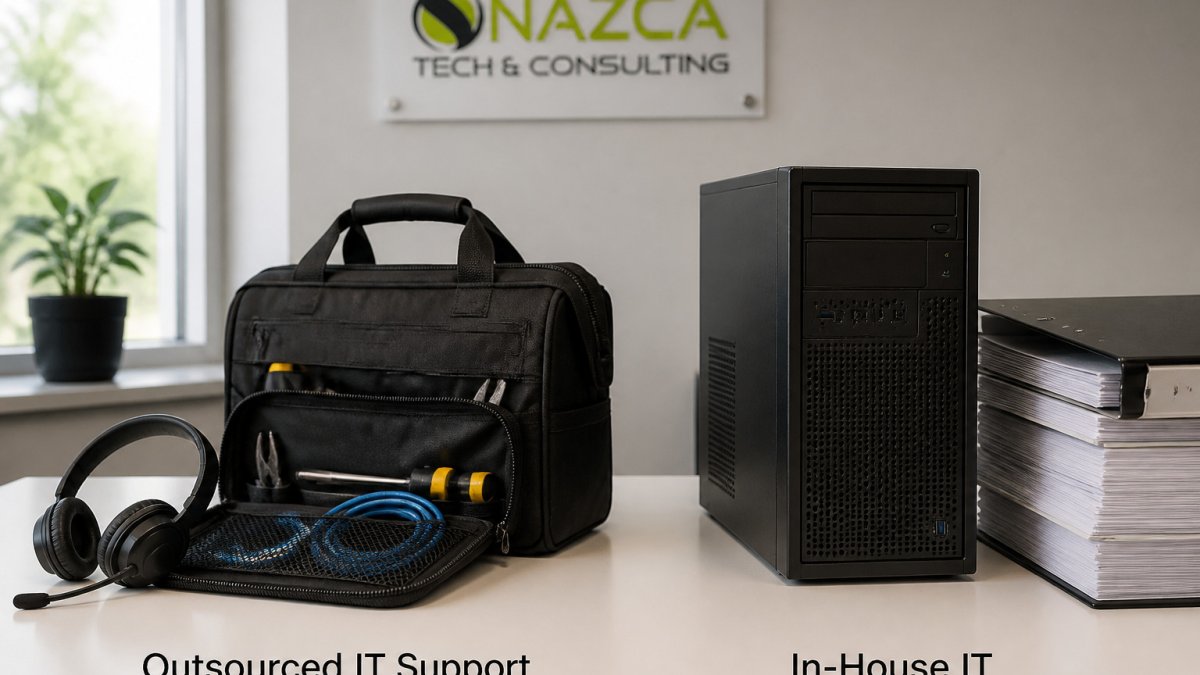
Outsourced IT support means a managed service provider (MSP) handles your network, help desk, security monitoring and backups under a contract, and for many practices this is the most practical form of outsourced IT support. In-house IT support means you employ technicians who work on your staff and systems directly.
The two models are not just about who answers the phone. An outsourced provider typically covers a team of specialists. An in-house hire covers one person's schedule, skill set and vacation calendar. Both can work. The right answer depends on your size, your clinical systems and how much technical risk you can carry.
How the Two Support Models Differ in Coverage, Response and Control
Coverage is where the models diverge most. An in-house technician usually works business hours and is off when a patient-facing system fails at 7 p.m. An outsourced provider can offer after-hours monitoring and on-call escalation, but only if the contract says so. Read the service-level agreement (SLA) closely for response time, resolution time and uptime commitments.
Control runs the other way. In-house staff know your workflows, your staff's habits and your history. Outsourced teams work from tickets and documentation, which is why a clear help-desk portal for tracking requests matters. Nazca Tech offers a dedicated help-desk portal for real-time request tracking, plus remote response within 1 hour and on-site emergency response within 3 hours. To see the infrastructure support a small practice actually needs, read IT infrastructure support for small practices.
Healthcare IT Support Costs: Comparing Direct Costs and Total Cost of Ownership
Direct costs are the easy part to compare: salary, benefits and training for an in-house hire versus a monthly managed-services fee. The harder part is total cost of ownership, and healthcare practices routinely underestimate it because clinical downtime has a cost that generic IT comparisons ignore.
A transparent TCO comparison for a healthcare practice should line up these cost buckets side by side:
- Compensation and benefits. Base salary plus payroll taxes, health insurance, retirement contributions and paid time off. Benefits commonly add a meaningful percentage on top of base pay, so compare fully loaded cost, not salary alone.
- Recruiting and onboarding. Job posting, recruiter fees, interview time, background checks and the weeks a position sits open while staff work around the gap.
- Training and certification. HIPAA and ePHI security training, security certifications, vendor-specific EHR and imaging training, and continuing education. These recur annually.
- Tools and licenses. Endpoint protection, backup, monitoring, ticketing, remote-access and documentation platforms. An in-house hire still needs these; an MSP bundles them into the fee, so confirm what is included.
- Backup coverage. Vacation, sick leave, turnover and after-hours calls. A single in-house technician is a single point of failure; covering absences means overtime, a contractor or a second hire.
- Downtime exposure. Every hour a scheduling, billing or EHR system is down affects patient throughput, claim submission and staff productivity. This is the line item practices most often leave out.
Pricing depends on users, devices, locations, after-hours work and emergency dispatch, so the practical way to compare is to request written quotes from each provider, including Nazca Tech, that itemize these factors. Then build a three-year TCO for each model using your own fully loaded salary figure and your own estimate of downtime cost.
A common pattern by organization size:
- Small practice (roughly 5-15 staff, one location). A single in-house hire is usually disproportionate to the workload; a scoped managed-services agreement typically covers help desk, patching, backup and security monitoring at a predictable monthly fee.
- Mid-size practice (roughly 15-50 staff, one or two locations). The TCO gap narrows. Compare a full-time hire plus tools against a managed agreement with defined coverage hours; many practices find the managed fee lower once benefits, backup coverage and tool licenses are added.
- Larger group or multi-location organization (roughly 50-100+ staff). A hybrid model, an internal coordinator plus an MSP for infrastructure, security and overflow, often produces the best TCO because it avoids paying specialist salaries for work that is intermittent.
HIPAA-Compliant IT Support: Which Responsibilities Stay Internal
HIPAA compliance is shared work, but the split is not vague. The Security Rule sets administrative, physical and technical safeguard categories, and each support model covers them differently. Mapping responsibilities in writing before you choose a model helps prevent confusion about who owns compliance.
Responsibilities that stay with your practice under either model:
- Security management process and risk analysis. Your practice must conduct and document a risk analysis and maintain a risk management plan. An MSP can supply technical data, asset inventories, vulnerability findings, access reviews, but cannot sign off on your compliance program.
- Policies and procedures. Privacy and security policies, sanction policy, and workforce access decisions remain yours.
- Workforce training and accountability. Staff HIPAA training, role-based access approval and termination checklists stay internal.
- Business associate agreements (BAAs). Any vendor that creates, receives, maintains or transmits protected health information (PHI) on your behalf needs a BAA. Confirm the MSP will sign one and that its subcontractors are covered.
How the two models handle technical safeguards:
- Access control and audit logging. An MSP typically implements unique user IDs, role-based access, automatic logoff and audit controls, and can produce access and audit reports as evidence. In-house staff do the same work but the evidence trail depends on one person's documentation habits.
- Encryption and transmission security. Both models can implement encryption at rest and in transit. The difference is verification: an MSP usually documents configuration standards across clients, while an in-house technician may configure systems ad hoc.
- Backup and contingency. An MSP typically runs tested backups and a documented disaster-recovery plan as part of the contract. In-house coverage depends on whether that technician has time and a tested restore procedure.
- Incident response. Ask who detects, contains, notifies and documents a breach. Under the Breach Notification Rule, notification obligations run to your practice; the provider's job is to detect, contain and give you the facts you need. Put the escalation path and notification timeline in the contract.
- Patching and vulnerability management. An MSP usually patches on a schedule and reports on it. In-house patching competes with daily help-desk work.
Audit evidence. When an auditor or payer asks for evidence, an MSP can typically produce configuration reports, patch logs, access reviews and backup test records on request. An in-house team can produce the same evidence, but only if documentation is built into the routine. Ask any provider, in-house or outsourced, to show a sample monthly security report before you sign.
Review the HHS guidance on the HIPAA Security Rule to confirm which safeguards apply to your practice, and ask each provider to map its services to those safeguard categories in writing. For a practical small-practice view of these obligations, see HIPAA compliance guidance for small medical practices.
Healthcare IT Staffing Models and Clinical Workflow Support
A hybrid model is one option in healthcare. A small in-house coordinator handles daily requests, while an outside team covers infrastructure, security and overflow. Nazca Tech offers a hybrid support model that includes both on-site visits and remote assistance.

Clinical workflow support deserves a clear answer in any contract. Ask which systems the provider supports, how they coordinate with your EHR vendor and who is accountable when a scheduling or billing system goes down.
When a Managed Service Provider for Medical Practices Fits Best
An MSP usually fits best for practices with 5 to 100 employees that lack a full-time IT department, or that have grown past what one technician can cover. It also suits practices with multiple locations or frequent after-hours needs. Nazca Tech also offers custom software development and cloud-based application hosting, which can complement a managed support agreement. Explore Nazca Tech's custom software and cloud services for healthcare workflows.
An in-house hire may fit better if your systems are highly specialized and need daily, on-site attention. Many practices land on a hybrid arrangement after comparing both options side by side.
Choosing the Right Model for Your Houston Practice Size and Setting
Start with three questions: How many users and locations do you support? How much downtime can your schedule absorb? Who will own HIPAA policy decisions? A two-doctor practice in Houston may do well with a small outsourced contract. A larger group with complex clinical systems may need a hybrid model. Read our 2026 guide to managed IT services for Houston healthcare clinics for local context on models and pricing structures.
| Factor | In-House IT | Outsourced IT (MSP) | Hybrid |
|---|---|---|---|
| Coverage hours | Business hours, varies by staff | Extended, depends on contract | Core hours in-house, overflow outsourced |
| Response | Immediate on-site | Remote within 1 hour; on-site emergency within 3 hours (Nazca Tech) | Fast on-site for routine issues |
| Cost structure | Salary, benefits, training | Monthly service fee | Mix of both |
| Specialized skills | Limited to hire's expertise | Broad specialist bench | Core coordinator plus specialists |
| Control | High, direct oversight | Governed by SLA and tickets | Shared |
Pros and cons at a glance:
- In-house: Pro: deep familiarity with your systems. Con: single point of failure and limited after-hours coverage.
- Outsourced: Pro: broad expertise and extended coverage. Con: less day-to-day context and dependence on contract terms.
- Hybrid: Pro: balances control and coverage. Con: requires coordination between two teams.
Frequently Asked Questions
Is outsourced IT support cheaper than an in-house IT team for a healthcare practice?
It depends on the practice. An in-house IT hire carries salary, benefits, training, and coverage gaps for nights and weekends, while an outsourced provider bills a recurring monthly fee per user or per device. Compare the cost of a managed provider's recurring fee against a fully loaded salary plus after-hours coverage. Request written quotes from several providers to compare like for like.
What are the pros and cons of outsourced IT support for healthcare?
Outsourced support gives a practice access to a bench of specialists, predictable monthly costs, and broader after-hours coverage than a single employee can provide. The drawbacks include less day-to-day control, dependence on the provider's response commitments, and the need for strong service-level agreements. Clinical staff may also find remote-only support slower for hardware issues, so confirm whether on-site visits are included and how quickly they arrive.
Can outsourced IT providers help healthcare practices meet HIPAA requirements?
A provider can support HIPAA-related work such as access controls, encryption, backups, monitoring, and incident response. However, the practice remains responsible for its own compliance, including policies, workforce training, and business associate agreements. Ask any provider to confirm in writing which safeguards it manages, which it only assists with, and which stay with your team.
What IT support model is best for a small medical practice?
Small practices often consider a managed service provider covering monitoring, help desk, and security, plus a designated internal contact who handles clinical priorities and vendor decisions. Larger systems with dedicated security or clinical informatics needs may justify internal specialists alongside an outside provider.
Ready to see which model fits your practice? Join now and request a consultation with Nazca Tech for a tailored IT support plan.